Keep sales, delivery, and Customer Service Connected.
TargetCRM brings Sales, Marketing, Projects, and Support around one customer record. Give enquiries an owner, opportunities a next step, and service teams the history to act.
Request a workflow demo Explore the solutions
Bring one real example. We’ll discuss how TargetCRM could handle it.
One customer. A connected team.
Illustrative workflowGive the opportunity a next step
Turn commitments into owned work
✓ Confirm the agreed scope
◷ Assign project tasks
◷ Review milestones & time
Keep the customer’s history close
Illustrative workflow—not a product screenshot. No customer records shown. Configuration depends on agreed scope.
What needs to work better in your business?
Start with one team’s challenge. Keep the customer relationship connected as you expand.
Follow up with a clear Next Step
Manage Leads, Opportunities, Quotations and Orders. Keep the owner and Next Action visible.
Keep Interest Moving toward a Sale
Connect Lead Sources, Assignment and Email or WhatsApp nurturing with Sales Follow-up.
Make every request accountable
Bring Tickets, Escalation, Portal Requests, Customer assets and Service Contracts into the same Customer Story.
Carry the promise into delivery
Keep Milestones, Tasks, Timesheets and Documents connected to Customer work.
See the records behind the report
Review Pipeline, Pending Follow-ups, Service workload and Project Progress.
Real companies. Specific operating problems.
Explore customer-specific implementations delivered by Excellence Consultancy Services.
Galaxy Sivtek
Technical enquiries, trials and customer service.
Parker Plant India
Dealer sales, service claims and SAP handovers.
Apollo Inffratech
Equipment service, entitlement checks and approvals.
SabPaisa
Rule-driven ticket routing and cross-team ownership.
Based on 6 reviews · checked 26 September 2026
Connect the hand-offs—not just the records.
Sales knows the enquiry. Delivery knows the commitment. Service knows the issue. TargetCRM keeps their work connected to the customer.
An owner for the next step
Make responsibility visible across sales and customer-facing work.
A practical first release
Agree essential stages, fields, roles and reporting before expanding.
Support after go-live
Online meetings, telephone, chat and a customer portal.
Lead generation needs a follow-through.
A campaign response needs somewhere to go. Capture the source, assign responsibility and keep the sales handover visible.
TargetCRM supports email and WhatsApp nurturing. Define the messages and handover that fit your process.
Lead context + assigned owner + next action
Example sequence only. Audiences, messages, automation rules and channel setup are agreed during implementation.
See where the daily work is recorded.
These empty demo forms show the product—not customer records.
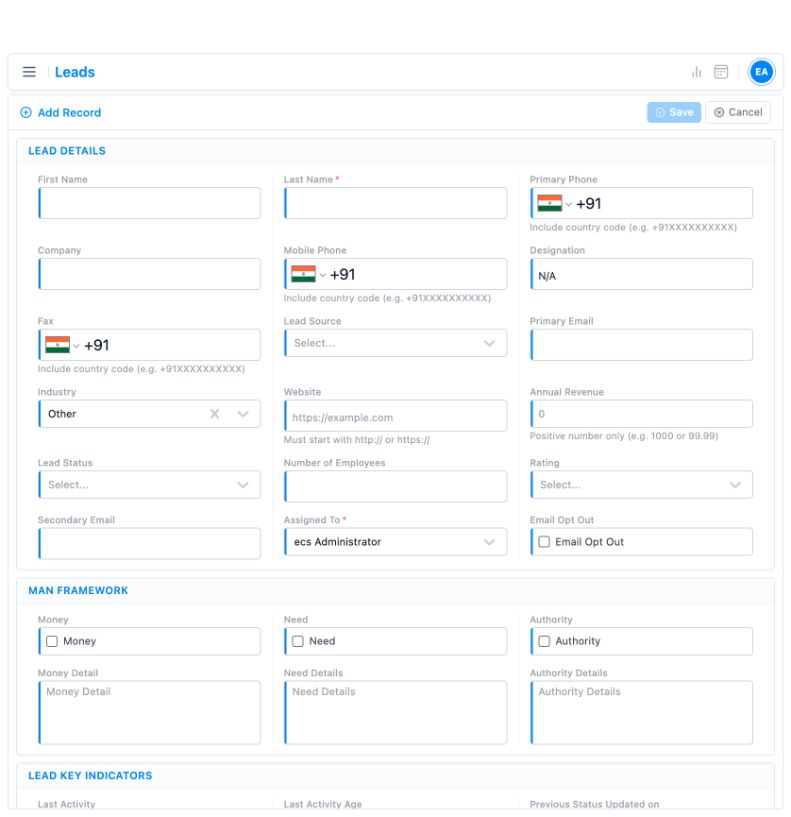
Capture & assign
Record the enquiry and the person responsible.
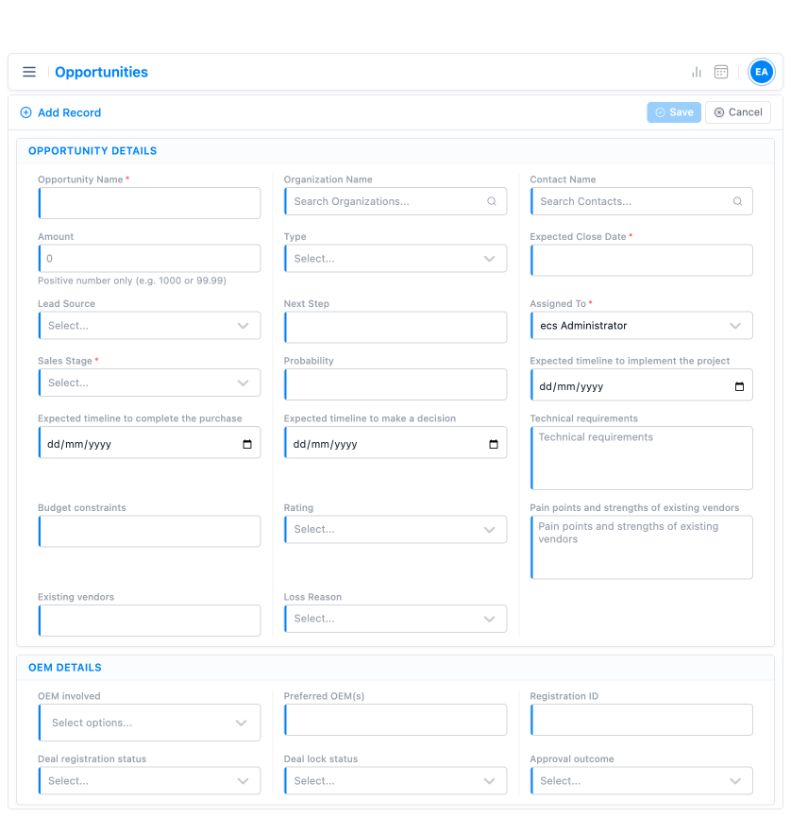
Track the opportunity
Keep the stage and next step with the deal.
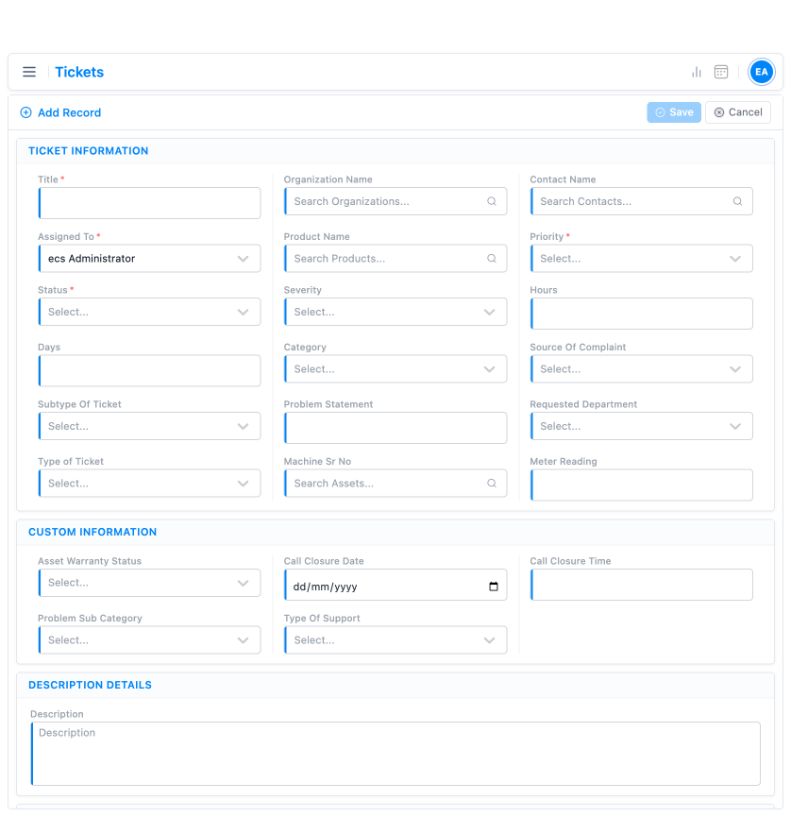
Organise the request
Give support the issue and customer context.
Demo interfaces; field layouts depend on configuration.
Start with a CRM your team can use.
Standard implementations take 2–3 weeks when scope, users and data are ready. Complex migration, integrations or customisation can take longer.
Understand & scope
Confirm the process, users and first priorities.
Configure & prepare
Agree the fields, responsibilities and supported data.
Train & launch
Help users work through the agreed process.
Support & improve
Refine the setup as your team’s needs develop.
Built around the industries we know.
Repeatable customer success includes machinery, agrochemicals and pharmaceuticals.
Machinery & equipment
Quotations, installed assets and ongoing service history.
Agrochemicals & pesticides
Dealer or distributor follow-up and territory visibility.
Pharmaceuticals
Multi-stage selling, approvals and structured customer interactions.
Fit CRM into your wider business.
Integration options connect customer work with the tools your team already uses. Each connection is confirmed against APIs, subscription plans and agreed scope.
AI for specific sales tasks
Lead scoring · Lead research · Business-card scanning
Integration options
Native connectivity, configuration and integration work vary by application and scope.
Know what to expect.
Start with your process, team and existing tools.
What is TargetCRM?
TargetCRM is a CRM for growing B2B teams. It connects sales, marketing, project work and customer support around shared customer records.
Can we start with one team or workflow?
Discuss the workflow you want to improve first. We agree the initial scope, users, configuration and any integrations before rollout.
Can marketing nurture leads before sales follows up?
TargetCRM supports email and WhatsApp nurturing. Messages, audiences, channel setup and automation rules are defined for your use case.
Can customers raise and review support requests?
A customer portal can be included in the agreed setup. Tickets, ownership and escalation requirements are reviewed during implementation.
How long does implementation take?
Standard implementations take 2–3 weeks when scope, users and data are ready. Complex migration, integrations or customisation can take longer.
How do we discuss fit and pricing?
Email your workflow challenge, user count and existing tools. Our team will discuss fit, implementation scope and commercial options. Avoid sending confidential customer records.
Show us where customer work gets stuck.
A missed follow-up. A sales-to-delivery handover. A service escalation. Bring the process you want to improve.
Request a workflow demo Explore the platform
Email [email protected] with your workflow and user count.